
Microsoft
AI Insights tool for contact centre
Revamped the conversation insights platform, boosted task efficiency by 33% for 5,000 businesses
Overview
Context
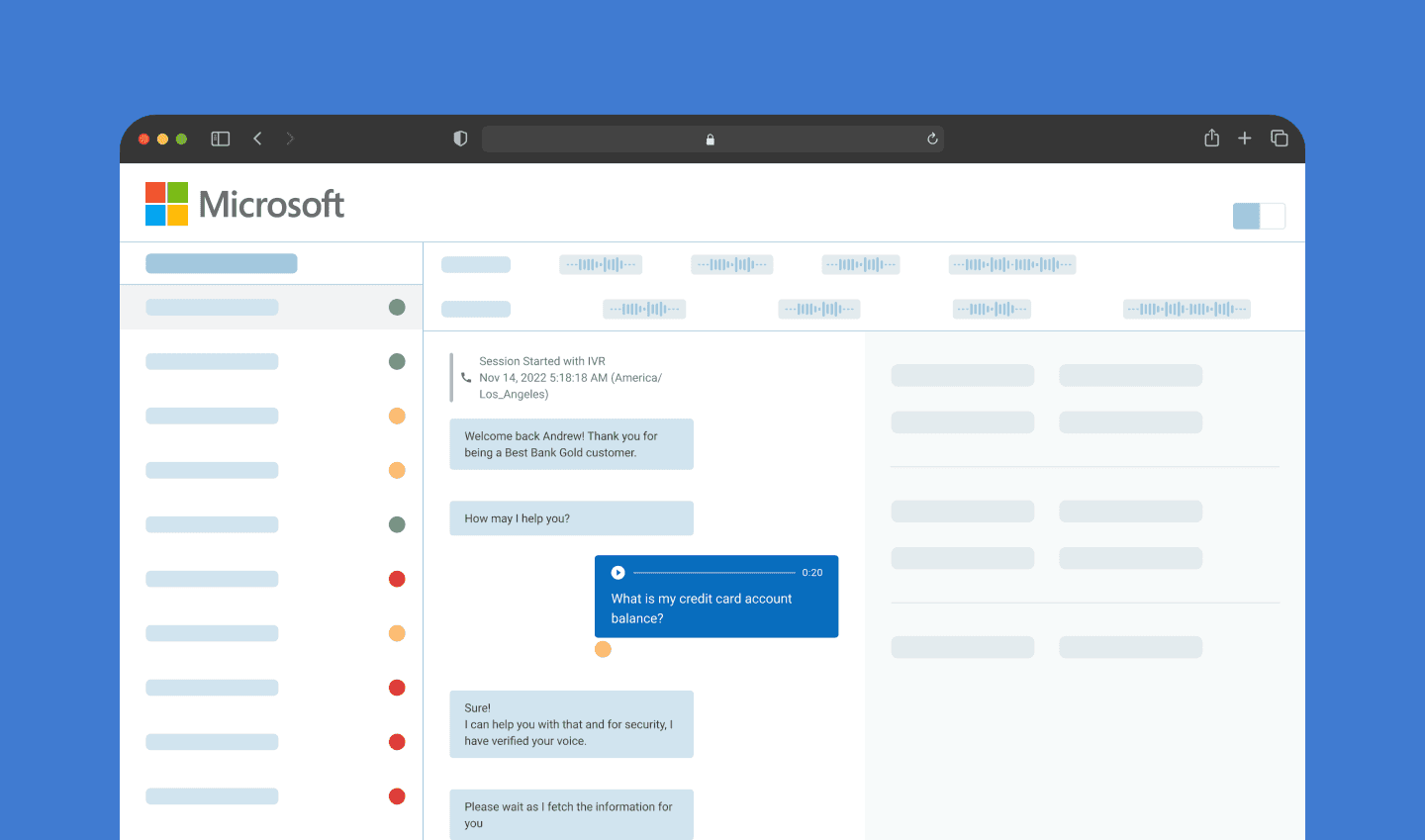
Contact centre products, powered by AI, enables businesses to effectively engage with their customers who are seeking assistance. I had the opportunity to work with the AI Insights product. My work involved in transforming Insights Platform. The platform collects data from customers engaging with businesses across all channels. Analyzing data and improving LLM responses when a customer engages via multiple channels is critical to improving the models.
Role
I served as the primary designer and researcher across the project's lifespan. I was involved in end-to-end design process
→ Interviewed Stakeholders → Facilitated focus group sessions → Mapped end-to-end user workflows → Wireframe A/B test → Designed interfaces using design system → Created prototypes for usability testing
Disclaimer 🔒
I cannot share the details here but I would be more than happy to chat about it alongside my overall experience over a call.
Contribution in numbers
4
Stakeholders Interviewed (Analyst, PM, CTO)
4
Competitive Audits
2
Focus Group Sessions (Planned and facilitated)
12
User engagements
1
Round of A/B Testing
3
Rounds of Iteration
8
New components introduced
Grounded in research driven approach
The project received positive results due to the data-driven approach to design. I tackled understanding the problem at an deeper level using the following methods/sources: → Heuristic evaluations → Competitive audits → Focus group interview → Usability testing → User and client feedback
Key achievements
I gathered diverse user feedback and aligned design objectives with business goals to create a polished final product. Through iterative design and data-driven decisions, I enhanced learnability, usability and effectiveness in task completion. → IImproved user journey through task simplification vApplied data visualization techniques to identify LLM failures promptly → IEnabled users to navigate easily between thousands of conversations → IFacilitated rapid creation of monthly reports, streamlining process for increased efficiency → IReused established UI components to enhance user learnability and streamline development processes → IIntroduced new components for specific needs that existing components could not fulfill for effective user experience
Project challenges
Facilitation of user engagements
Engaging users effectively was challenging. Coordinating schedules and gathering meaningful feedback required careful planning. I learned to facilitate an comfortable environment for everyone for honest input.
Designing with LLM
Balancing technical constraints of LLMs with user expectations was demanding. Through iterative testing and close collaboration with, I created an efficient user experience.
Adapt to new design system
As a new member of the team, it was challenging to quickly adapt to the established design system. By thoroughly studying the guidelines and iterating designs based on feedback, I managed to ensure consistency while bringing in innovative solutions.
Key takeaways
Strategy
Every task should have a clear purpose and understanding of its future evolution, enabling effective strategy and design planning that aligns with the company’s goals.
Proactivity
Self-initiative and continuous curiosity are crucial for problem-solving and knowledge acquisition. “The only thing stopping me from doing a better job is myself.
Forgiveness over permission
Voice my expert opinion and take necessary actions, even if it requires post-approval while respecting constraints. “Don’t ask for permission but for forgiveness. I am an expert and need to voice my opinion."
Inclusive stakeholders
Engage stakeholders early to incorporate diverse perspectives and enhance product development. “A fantastic way to start a conversation with someone is by asking them what they think of your idea and why they are interested in it.”